Sharing and privacy
Where your flicks can go, who can see them, how YouTube backup works, and the difference between Delete and Archive.
You're always in control of your flicks. Keep one private on your device, or share it to your camera roll, to messages and email, or to services like Instagram, TikTok, Facebook, X, WhatsApp, Snapchat, and YouTube.
How to share
Tap Share on the Shot List, or tap Share on a flick in My Flicks. On the Share screen, pick the service and the settings, like aspect ratio and resolution. On cellular, choose Low or Medium to save data; otherwise High looks best. You can always save to your camera roll and post from there.
Share any flick anywhere
Share the same flick in different shapes: landscape on YouTube, portrait on TikTok, square on Instagram, all full frame with no stretching or black bars. If you'll share more than one shape, shoot landscape for the most flexibility. The aspect ratio and orientation guide explains how.
Who can see your flicks
Set visibility per flick in Flick Settings, or set a default in Settings.
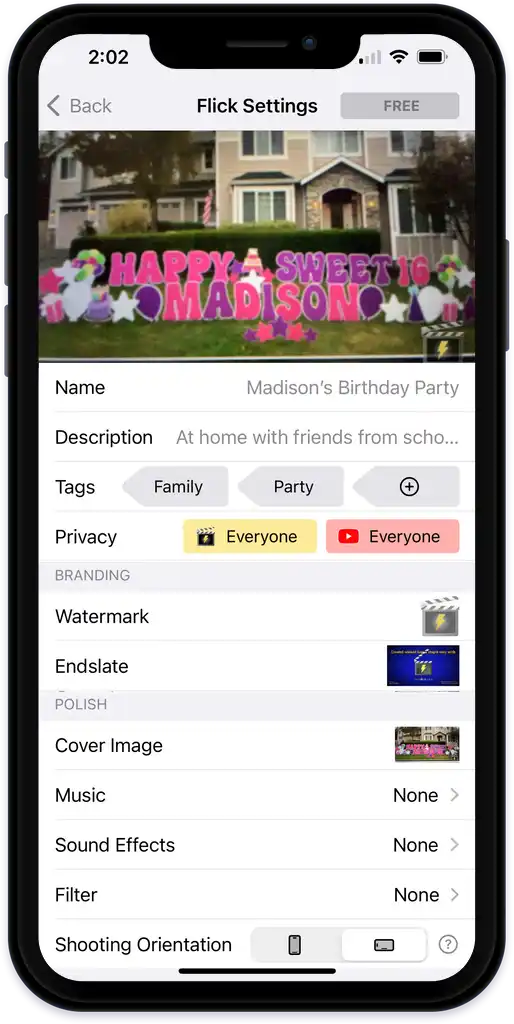
- Me: only you can see it.
- Fans: people who follow you can see it in their Following tab and on your profile.
- Public: anyone can see it, and it may appear in Top Flicks.
These control viewing inside NanoFlick. If you post to an outside service, manage visibility there too.
YouTube backup
For links shared by email, messages, or NanoFlick, we host the video on YouTube so you send a small link instead of a huge file, and your flicks are backed up to the cloud. The backup follows the same visibility you set in NanoFlick.
Why is my video muted on Facebook? Facebook may mute audio it thinks uses copyrighted music. Our royalty-free music library avoids this.
Delete vs Archive
Delete removes the flick and its files from your phone and from NanoFlick. Archive erases the files on your phone but keeps a YouTube backup, so you can still view and share it. Both are permanent, so save it to your camera roll first. Neither changes videos you've already posted somewhere else.
Last verified